
I Reduced My Daily Office Work by 3+ Hours Using AI
The practical AI workflow I use as an IT Manager to write emails, prepare presentations, create documentation, summarize meetings, and automate repetitive work.
Read on Medium →WORK SMART TECH · LEARN PRACTICAL AI
Practical AI tutorials, productivity workflows and real-world technology insights for working professionals.
I'm Vishwanath Srinivasan, an IT Manager with 20+ years of enterprise IT and SAP experience. These are the AI tools, prompts and workflows I use at work — built for working professionals, not hype chasers.
Made for IT professionals, SAP consultants, business analysts and project managers learning to work smarter with AI.

Work Smart Tech helps working professionals understand and apply AI to real work. It started as a way to document what I was learning on the job and has grown into a YouTube channel and learning hub — focused on practical use, not AI headlines.
Start with plain-English explanations and beginner-safe prompts — no jargon, no overwhelm, just a clear first step.
Practical, no-fluff videos built around real workflows — tool comparisons, demos and step-by-step systems.
MyDigiBundles has the practical AI toolkits, automation workflows and learning bundles behind these workflows.
Six topics, all built from real work — pick the one you need this week.
Everyday AI workflows for getting more done at work.
Watch these →Comparisons and practical guidance on ChatGPT, Microsoft Copilot and other tools — including what not to upload.
Watch these →Prompts and systems for status reports, emails and everyday workplace writing.
Watch these →Turning repetitive weekly work into routines that run themselves.
Watch these →Using AI to prepare for appraisals and move ahead in IT roles.
Watch these →Practical AI guides and prompts for IT managers and SAP professionals.
See free resources →Tutorials, workflow demos and tool comparisons from real working life — new videos every week.

This is the video most professionals come back to.
Watch on YouTube → (opens in new tab)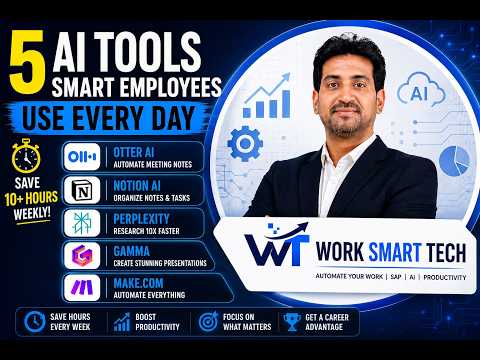 AI Productivity
The AI Workflow Smart Employees Quietly Use Every Day
(opens in new tab on YouTube)
AI Productivity
The AI Workflow Smart Employees Quietly Use Every Day
(opens in new tab on YouTube)
 AI Productivity
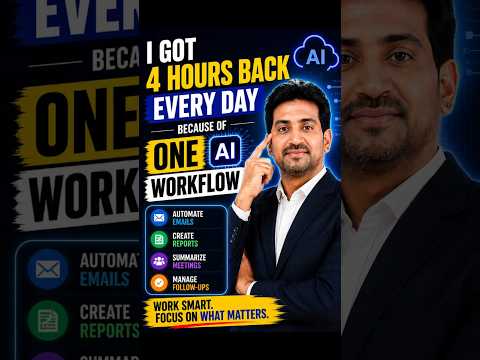
I Stopped Doing These 4 Tasks. AI Does Them Now.
(opens in new tab on YouTube)
AI Productivity
I Stopped Doing These 4 Tasks. AI Does Them Now.
(opens in new tab on YouTube)
 AI Tools
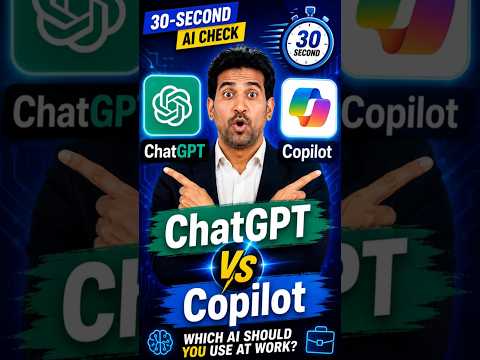
ChatGPT vs Copilot | Which AI Should You Use at Work? | 30-Second AI Check
(opens in new tab on YouTube)
AI Tools
ChatGPT vs Copilot | Which AI Should You Use at Work? | 30-Second AI Check
(opens in new tab on YouTube)
 AI Tools
Your Company Already Pays for Microsoft Copilot. Are You Using It Right?
(opens in new tab on YouTube)
AI Tools
Your Company Already Pays for Microsoft Copilot. Are You Using It Right?
(opens in new tab on YouTube)
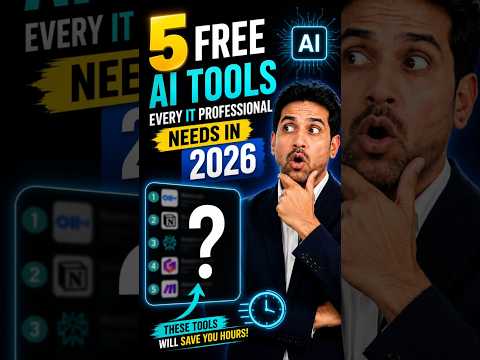 AI Tools
5 Free AI Tools Every IT Professional Needs in 2026
(opens in new tab on YouTube)
AI Tools
5 Free AI Tools Every IT Professional Needs in 2026
(opens in new tab on YouTube)
 AI Tools
Never Upload These 5 Company Files to ChatGPT!
(opens in new tab on YouTube)
AI Tools
Never Upload These 5 Company Files to ChatGPT!
(opens in new tab on YouTube)
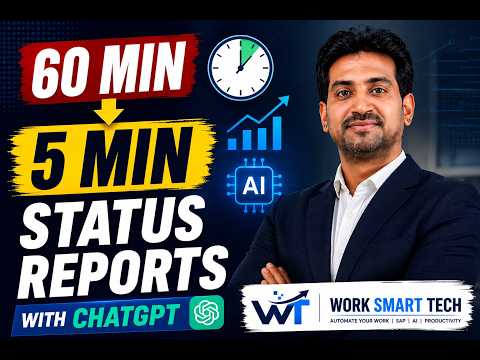 Reports & Email
How I Create Weekly Status Reports in 5 Minutes Using ChatGPT
(opens in new tab on YouTube)
Reports & Email
How I Create Weekly Status Reports in 5 Minutes Using ChatGPT
(opens in new tab on YouTube)
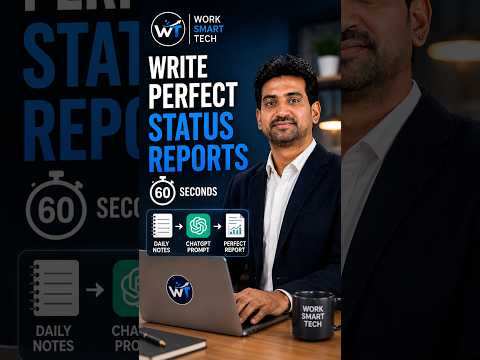 Reports & Email
I Write Perfect Status Reports in 60 Seconds. Here's the Exact System.
(opens in new tab on YouTube)
Reports & Email
I Write Perfect Status Reports in 60 Seconds. Here's the Exact System.
(opens in new tab on YouTube)
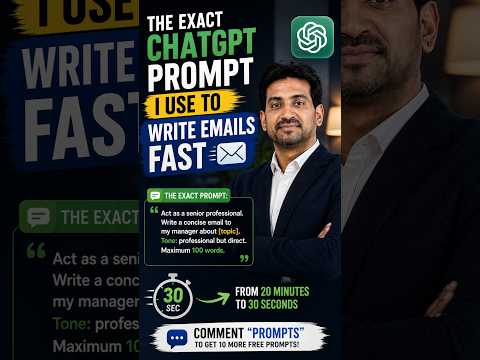 Reports & Email
The Exact ChatGPT Prompt I Use to Write Emails Fast
(opens in new tab on YouTube)
Reports & Email
The Exact ChatGPT Prompt I Use to Write Emails Fast
(opens in new tab on YouTube)
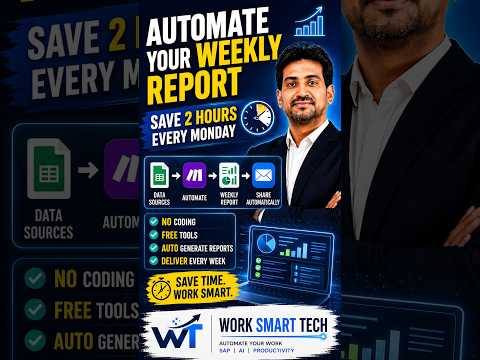 Automation
Automate Your Weekly Report — Save 2 Hours Every Monday
(opens in new tab on YouTube)
Automation
Automate Your Weekly Report — Save 2 Hours Every Monday
(opens in new tab on YouTube)
 Work & Career
The Biggest IT Career Cheat Code Nobody Uses
(opens in new tab on YouTube)
Work & Career
The Biggest IT Career Cheat Code Nobody Uses
(opens in new tab on YouTube)
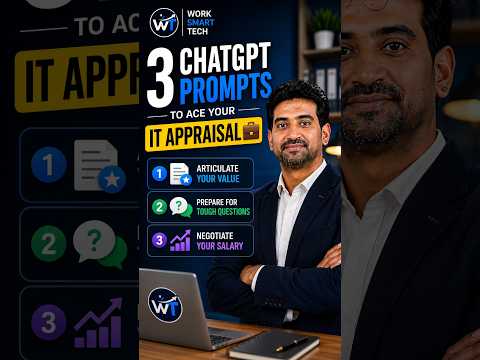 Work & Career
3 ChatGPT Prompts to Ace Your IT Appraisal
(opens in new tab on YouTube)
Work & Career
3 ChatGPT Prompts to Ace Your IT Appraisal
(opens in new tab on YouTube)
No opt-in tricks, no expiring "bonuses." Just useful things you can use today.
Ready-to-use prompts for status reports, documentation, troubleshooting and stakeholder communication — copy, paste, adapt.
Turn any meeting recording into clear notes and follow-ups in minutes using AI — built for project managers and business analysts.
A practical checklist for weaving AI into your daily workflow without disrupting your team or your existing tools.
A plain-English introduction to ChatGPT, Copilot and Power BI's AI features — no technical background required.
A simple weekly planner that helps you track what to automate, delegate and do yourself — built for busy professionals.
I get asked constantly what's actually in my toolkit. So here it is — no fluff, no tools I don't genuinely use. These are the apps I rely on every day across 20+ years of enterprise IT and SAP work, and in building this channel.

An AI assistant for writing, analysis, brainstorming and problem-solving.
Why I use it: It's my daily thinking partner — I use it to draft reports, structure presentations and think through SAP process issues before I bring them to my team.
Who should use it: Managers, business analysts and anyone who writes or plans for a living.
Faster first drafts. Better structured thinking. Works across almost any task.

AI built directly into Word, Excel, Outlook and Teams.
Why I use it: For everyday enterprise work — drafting emails, summarizing long threads and building first-draft Excel formulas — it's already where I'm working, so there's no extra app to open.
Who should use it: Anyone working inside Microsoft 365 day-to-day, especially in corporate IT or finance teams.
Works inside tools you already use. Great for email and Office documents. No separate login if you already have Microsoft 365.

Microsoft's data visualization and business intelligence platform.
Why I use it: After 20+ years in enterprise IT and SAP, Power BI is how I turn raw data into dashboards leadership can actually act on — and its AI features are getting genuinely useful for quick insights.
Who should use it: Business analysts, SAP consultants and anyone who reports on data regularly.
Turns raw data into clear dashboards. Strong integration with Excel and SAP data sources. AI-assisted insights are improving fast.
The spreadsheet tool most enterprise work still runs on.
Why I use it: Twenty years into my career, Excel is still where a lot of real analysis happens — especially once you add Copilot's AI formula and summary features on top.
Who should use it: Any corporate professional working with data, budgets or reporting.
Universal compatibility across every enterprise. Powerful once combined with AI add-ins. Familiar to virtually every team.

Microsoft's tool for automating repetitive tasks and workflows.
Why I use it: Any task I find myself doing the same way more than twice a week, I try to automate with Power Automate first — it's saved me hours on approvals and notifications alone.
Who should use it: IT managers and business analysts looking to remove repetitive manual work.
Automates repetitive tasks without custom code. Connects directly to Microsoft 365. Frees up hours for higher-value work.
A flexible workspace for notes, docs and project tracking.
Why I use it: I use it to keep my learning notes, video scripts and resource library organized in one place — its AI features help me tidy up messy notes fast.
Who should use it: Anyone who wants one organized place for notes, planning and documentation.
Flexible enough for notes, docs or project tracking. Built-in AI for summarizing and organizing. Free tier is genuinely usable.

Free, open-source screen recording and streaming software.
Why I use it: Every tutorial and screen-recorded video on my YouTube channel is captured with OBS — it's free and genuinely professional-grade.
Who should use it: Anyone recording tutorials, demos or screen-based training content.
Completely free. Professional recording quality. Highly customizable.
New tools get added here as I actually start using them in my own workflow — not as a static "best of" list.
A full directory of everything I use — tools, hardware and setup — is coming soon.
Practical AI workflows, written up in full — new articles alongside every YouTube video.
When a topic clicks and you want ready-made tools, these MyDigiBundles products help you put it to work. Pick by what you're learning — none are required to use anything above.
250 AI-powered Excel formula prompts across 15 categories, plus a Formula Cheat Sheet and an Excel Error Guide.
₹199 one-time payment
101 ready-to-use AI prompts and 8 editable templates for emails, reports and everyday workplace tasks.
₹199 one-time payment
250+ AI prompts across 15 categories and 10 editable templates for writing, reports and document productivity.
₹199 one-time payment
25 ready-to-import n8n workflows with premium implementation guides — no coding required.
₹299 one-time payment
22 AI courses, guides & resources covering ChatGPT, Copilot, Claude, Perplexity, AI content, YouTube and more.
₹799 one-time payment
A practical system for applying AI to your actual work — emails, reports, presentations and decisions.
₹1,499 one-time payment
A beginner toolkit with 100 AI prompts, 10 AI freelancing services, Fiverr-focused templates and a 7-day launch plan.
₹299 one-time payment
120 AI prompts, 21 worksheets, a 30-day execution plan and a 90-day roadmap for building an AI-powered business alongside your career.
₹999 one-time payment
Not sure which one fits? Use the product advisor · Browse all MyDigiBundles products · Try the free AI Tools Hub
Trust is earned by being useful. Here's how this channel works.
Tutorials come from tools and workflows used in a real enterprise IT career — not from the AI news cycle.
Every piece is judged by one question: does it actually save time and improve the outcome? No income promises, no shortcuts.
I'm not part of any affiliate program for the tools I recommend. If that ever changes, it will be disclosed on this page.
Free tutorials, free resources and a newsletter — no trial, no credit card, no upsell trap.

I'm Vishwanath Srinivasan, an IT Manager based in Bangalore with over 20 years of experience across enterprise applications and SAP. Over the past few years, I've focused that same systems-thinking on practical AI — figuring out, rigorously, how working professionals can use tools like ChatGPT, Copilot and Power BI to save time and get more done.
Work Smart Tech started as a way to document what I was learning on the job. It's grown into a channel and resource hub for IT professionals, SAP consultants, business analysts and project managers who want the same thing I wanted: practical AI skills that actually work — not hype, not shortcuts.
My background is enterprise, not influencer. Everything I share here is filtered through the same question I ask at work: does this actually save time and improve the outcome, or is it just noise?
Looking ahead, Work Smart Tech will grow into a home for structured AI courses, corporate workshops and consulting — helping teams, not just individuals, work smarter with AI.
MyDigiBundles has the practical AI toolkits, automation workflows and learning bundles behind these tutorials — each with its own page, so you can see exactly what's included.
I get asked constantly what's actually in my toolkit. So here it is — no fluff, no tools I don't genuinely use. These are the apps I rely on every day across 20+ years of enterprise IT and SAP work, and in building this channel.
An AI assistant for writing, analysis, brainstorming and problem-solving.
Why I use it: It's my daily thinking partner — I use it to draft reports, structure presentations and think through SAP process issues before I bring them to my team.
Who should use it: Managers, business analysts and anyone who writes or plans for a living.
Faster first drafts. Better structured thinking. Works across almost any task.
AI built directly into Word, Excel, Outlook and Teams.
Why I use it: For everyday enterprise work — drafting emails, summarizing long threads and building first-draft Excel formulas — it's already where I'm working, so there's no extra app to open.
Who should use it: Anyone working inside Microsoft 365 day-to-day, especially in corporate IT or finance teams.
Works inside tools you already use. Great for email and Office documents. No separate login if you already have Microsoft 365.
Microsoft's data visualization and business intelligence platform.
Why I use it: After 20+ years in enterprise IT and SAP, Power BI is how I turn raw data into dashboards leadership can actually act on — and its AI features are getting genuinely useful for quick insights.
Who should use it: Business analysts, SAP consultants and anyone who reports on data regularly.
Turns raw data into clear dashboards. Strong integration with Excel and SAP data sources. AI-assisted insights are improving fast.
The spreadsheet tool most enterprise work still runs on.
Why I use it: Twenty years into my career, Excel is still where a lot of real analysis happens — especially once you add Copilot's AI formula and summary features on top.
Who should use it: Any corporate professional working with data, budgets or reporting.
Universal compatibility across every enterprise. Powerful once combined with AI add-ins. Familiar to virtually every team.
Microsoft's tool for automating repetitive tasks and workflows.
Why I use it: Any task I find myself doing the same way more than twice a week, I try to automate with Power Automate first — it's saved me hours on approvals and notifications alone.
Who should use it: IT managers and business analysts looking to remove repetitive manual work.
Automates repetitive tasks without custom code. Connects directly to Microsoft 365. Frees up hours for higher-value work.
A flexible workspace for notes, docs and project tracking.
Why I use it: I use it to keep my learning notes, video scripts and resource library organized in one place — its AI features help me tidy up messy notes fast.
Who should use it: Anyone who wants one organized place for notes, planning and documentation.
Flexible enough for notes, docs or project tracking. Built-in AI for summarizing and organizing. Free tier is genuinely usable.
Free, open-source screen recording and streaming software.
Why I use it: Every tutorial and screen-recorded video on my YouTube channel is captured with OBS — it's free and genuinely professional-grade.
Who should use it: Anyone recording tutorials, demos or screen-based training content.
Completely free. Professional recording quality. Highly customizable.
New tools get added here as I actually start using them in my own workflow — not as a static "best of" list.
A full directory of everything I use — tools, hardware and setup — is coming soon.
New breakdowns, tutorials and real workflows — every week.
This is the video most professionals come back to.
Practical AI workflows, written up in full — new articles alongside every YouTube video.
I'm Vishwanath Srinivasan, an IT Manager based in Bangalore with over 20 years of experience across enterprise applications and SAP. Over the past few years, I've focused that same systems-thinking on practical AI — figuring out, rigorously, how working professionals can use tools like ChatGPT, Copilot and Power BI to save time and get more done.
Work Smart Tech started as a way to document what I was learning on the job. It's grown into a channel and resource hub for IT professionals, SAP consultants, business analysts and project managers who want the same thing I wanted: practical AI skills that actually work — not hype, not shortcuts.
My background is enterprise, not influencer. Everything I share here is filtered through the same question I ask at work: does this actually save time and improve the outcome, or is it just noise?
Looking ahead, Work Smart Tech will grow into a home for structured AI courses, corporate workshops and consulting — helping teams, not just individuals, work smarter with AI.